

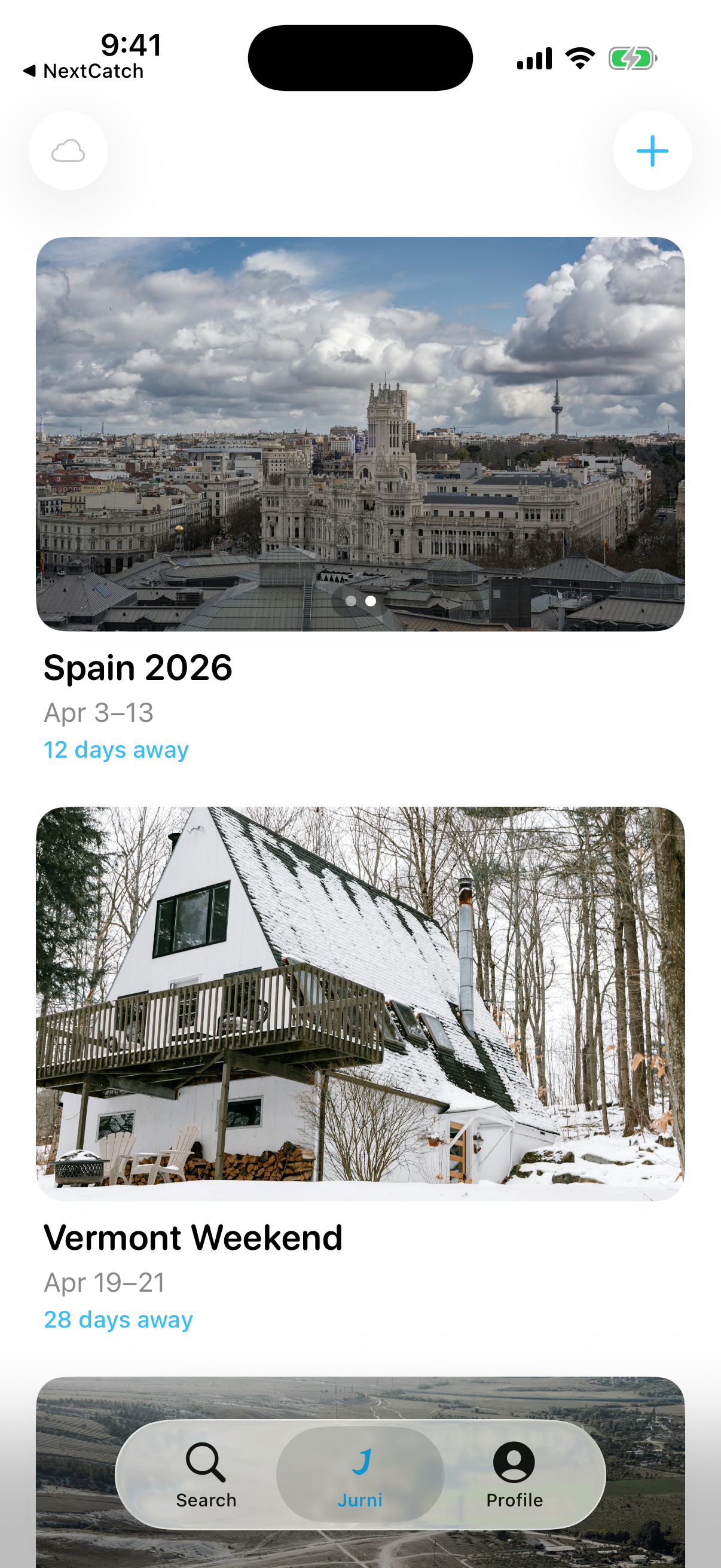
How it works
Build the plan
Flights, hotels, trains, meals, notes, and bookings in one clean timeline.
Check travel day
Daily Brief surfaces the next step, key docs, timing, and quick actions.
Share when needed
Invite people, split costs, and run polls only when the trip calls for it.
"Built on the trip that broke every other planning tool."
The trip that started it all
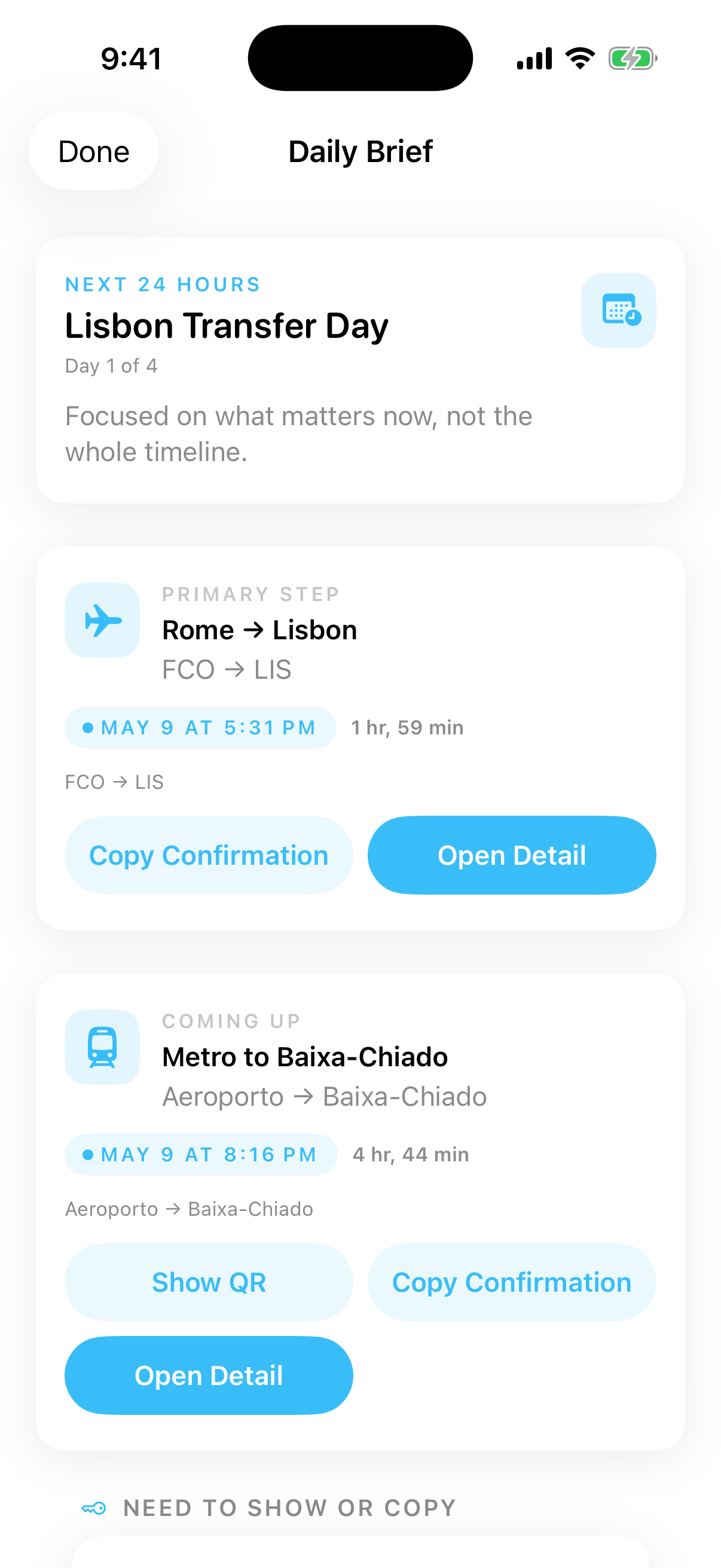
Daily Brief
Know what matters next.
The next 24 hours in one focused view: reservation, transit step, key documents, QR codes, addresses, timing, and quick actions.
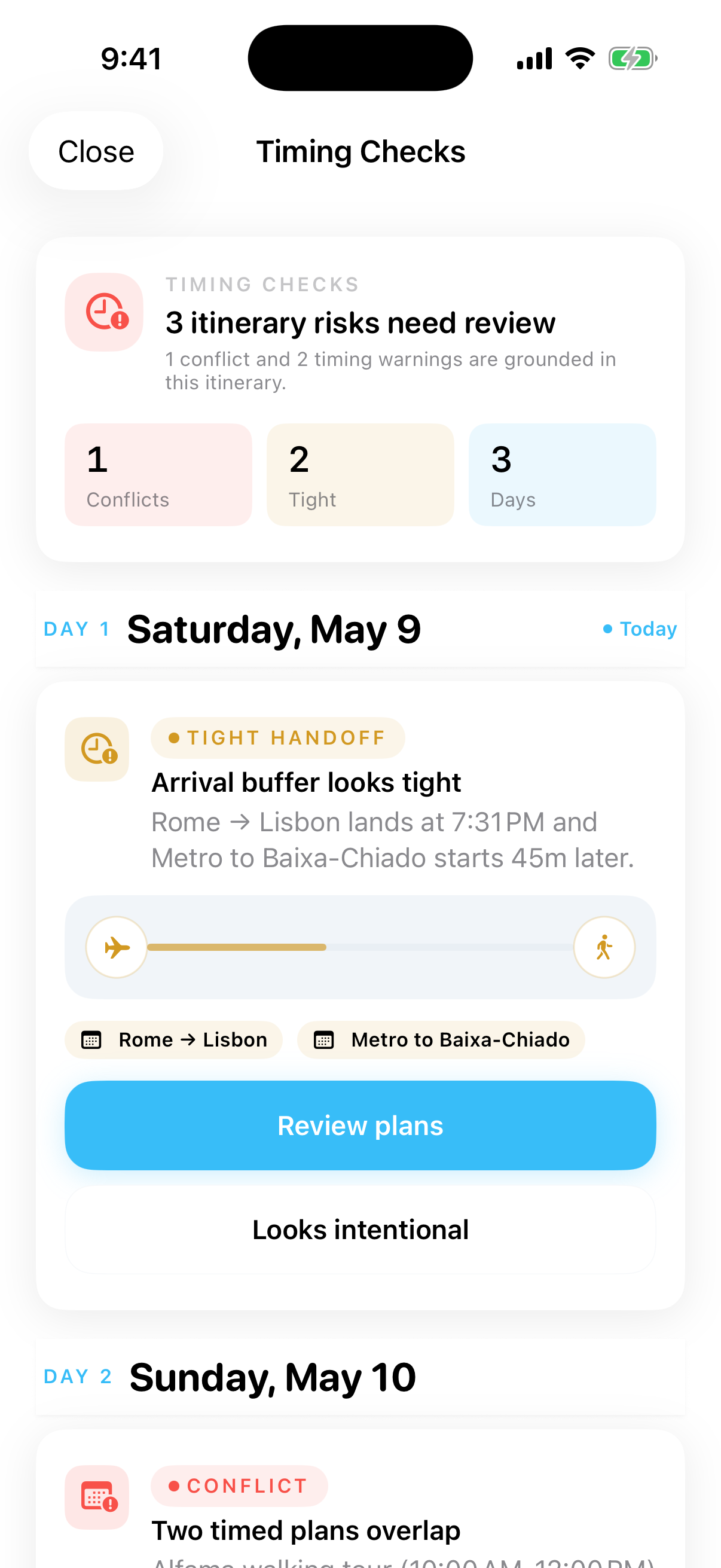
Timing checks
Catch problems early.
Jurni flags tight handoffs, overlaps, and lodging gaps before travel day turns into a scramble.
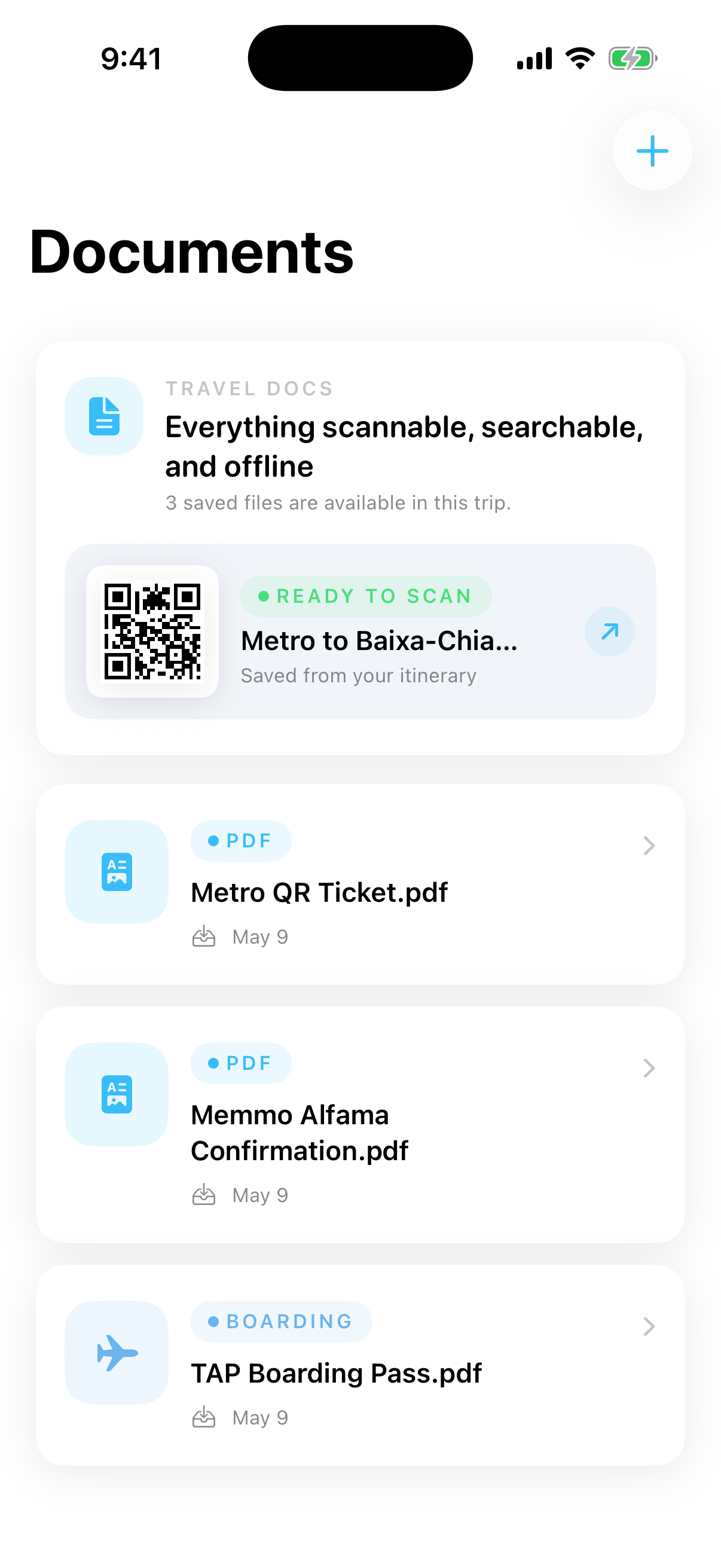
Documents
Docs and QR codes, ready offline.
Boarding passes, train tickets, hotel confirmations, PDFs, and scanned documents stay close when signal disappears.
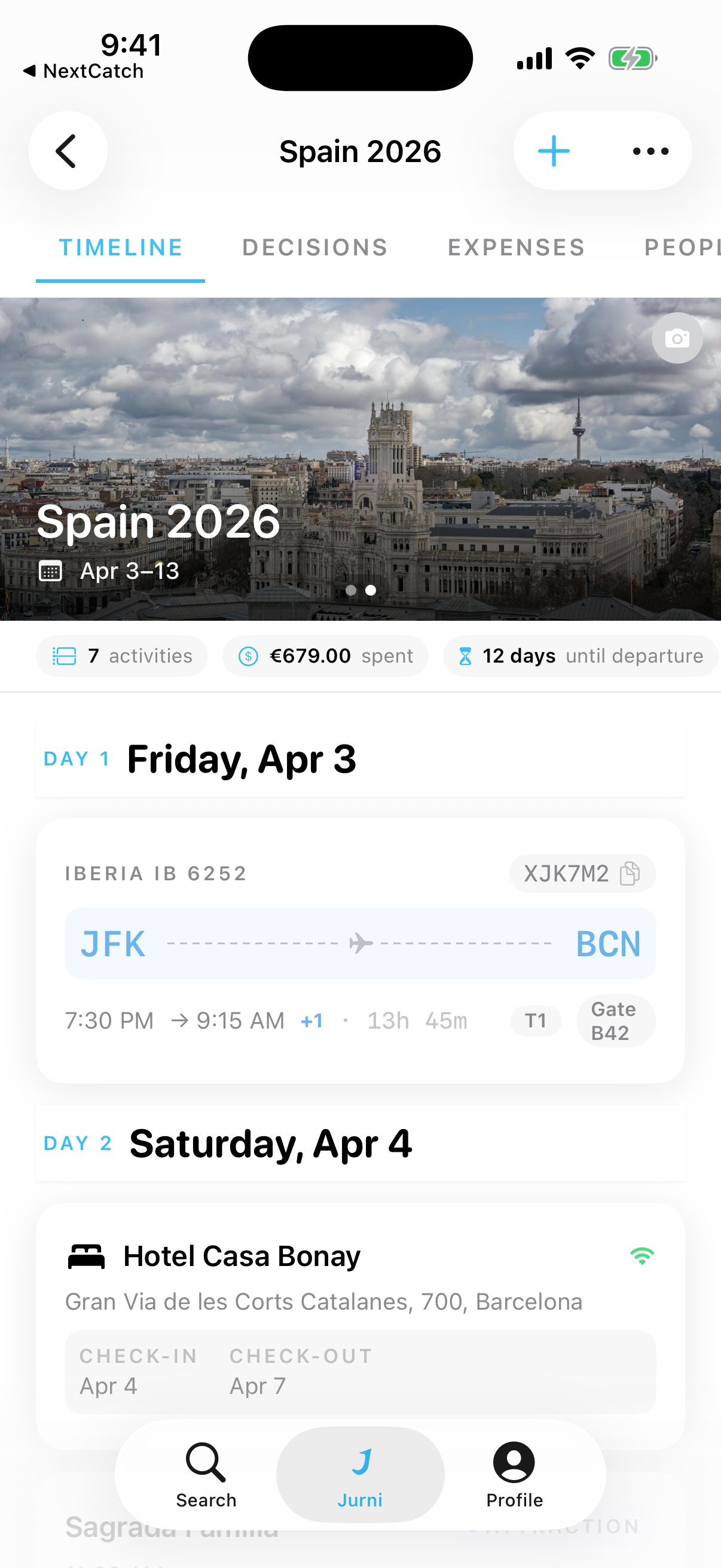
Timeline
Every day, mapped out.
Flights, trains, hotels, restaurants, and custom stops live in a timeline that is easy to scan before and during the trip.
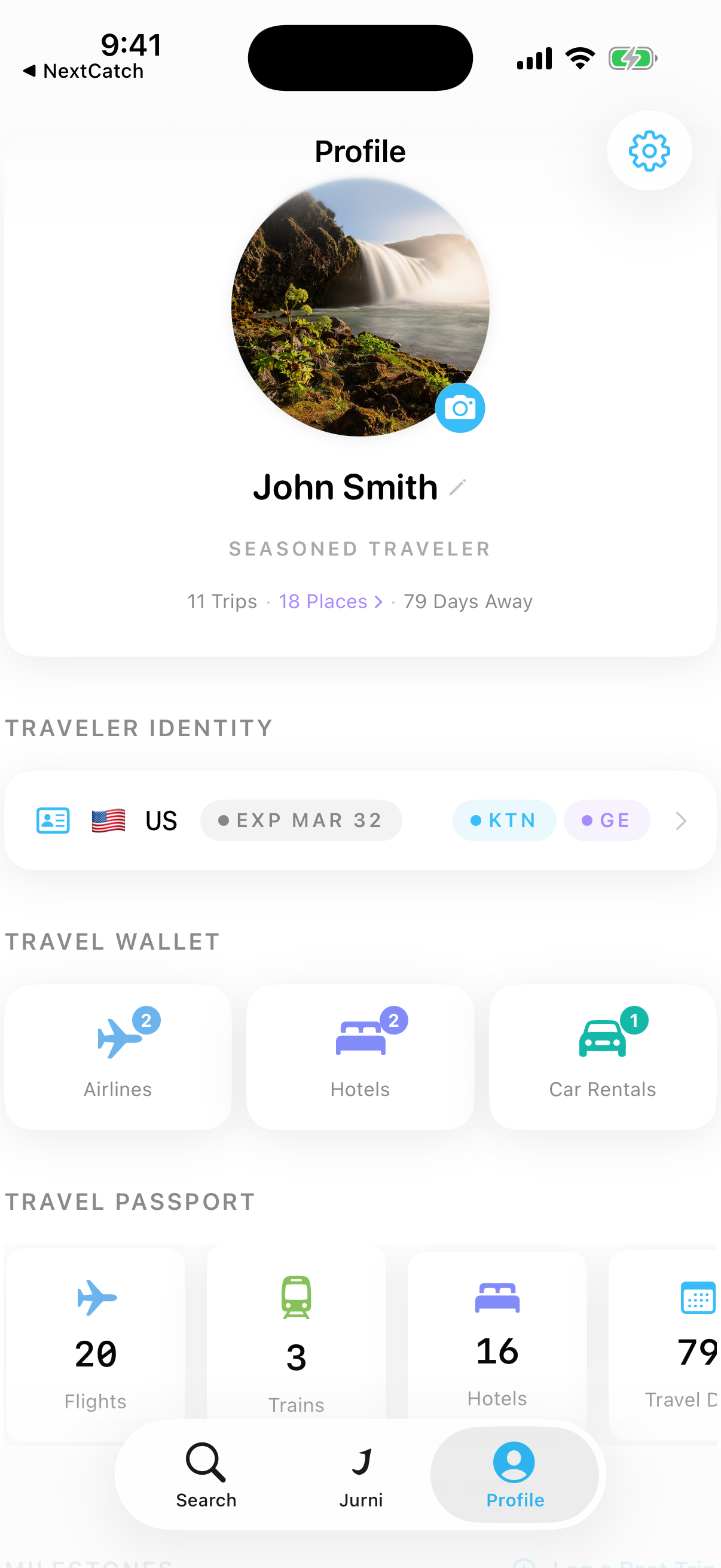
Your Story
A passport that grows with you
Track your travel stats, earn milestone badges, and watch your personal globe fill up with every trip. Your travel story, told through data.
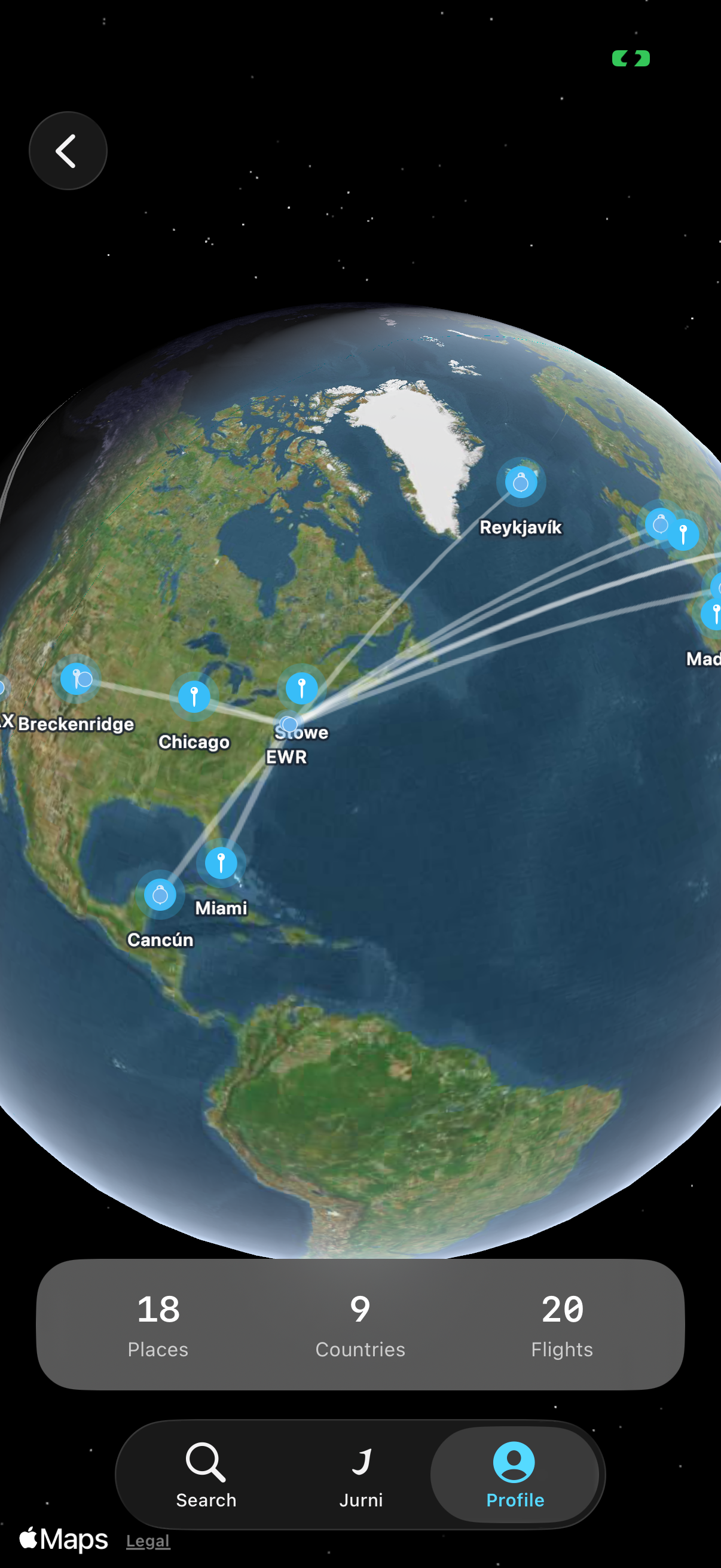
Your Globe
See where you've been
Every destination, every flight path, rendered on an interactive 3D globe. Watch your world fill up with every trip you take.
Sound familiar?
Before
- Boarding passes buried in email
- A tight transfer nobody noticed
- PDFs, loyalty numbers, and addresses scattered across apps
- A group chat trying to answer travel-day questions
With Jurni
- One clean itinerary with the next step up front
- Timing checks before the day gets messy
- Documents and QR codes ready offline
- Sharing, expenses, and polls when the trip needs them
Built for the whole trip
Daily Brief
The next 24 hours, condensed.
Smart Import
Turn bookings into trip details.
Timing Radar
Overlaps and tight handoffs surfaced early.
Documents
Boarding passes, QR codes, PDFs.
Trip Maps
Every stop and route in context.
Follow-through
Suggestions after imports, polls, and bookings.
Widgets
The next step on your Home Screen.
Shortcuts
App Intents for fast travel-day actions.
13 Locales
Localized across 13 App Store locales.
Share When Needed
Invites, expenses, and polls for shared trips.
Privacy
Your trips are yours
Trip content is end-to-end encrypted before it ever leaves your device. I can't read your itineraries, expenses, or documents — even on my own servers. Sensitive information like passport numbers never leaves your device at all. No ads. No data harvesting.
Origin
Why I built Jurni
Last year I planned a multi-city trip to Spain where the hard part was not only getting people aligned. It was keeping every booking, handoff, document, address, train, restaurant, QR code, and backup plan close enough to trust once travel day started.
So I built the app I wished existed. One place for the itinerary, documents, timing, follow-through, and the shared planning tools you only need when other people are involved. No ads. No data to hand over. Just your trip, ready when it matters.
Questions
What is Jurni for?
Jurni keeps the trip itself organized: itinerary, key details, documents, QR codes, and travel-day context in one private iPhone app.
Is Jurni only for group trips?
No. Jurni works for solo planning first, then adds sharing when a trip involves other people.
Is Jurni free?
Yes. Jurni is free to download and use on iPhone, with no ads.
Is my trip private?
Yes. Your trip content is end-to-end encrypted, and sensitive travel identity details stay on your device.
Does Jurni work offline?
Yes. Your trip stays available on your iPhone, including the details you need when service is unreliable.